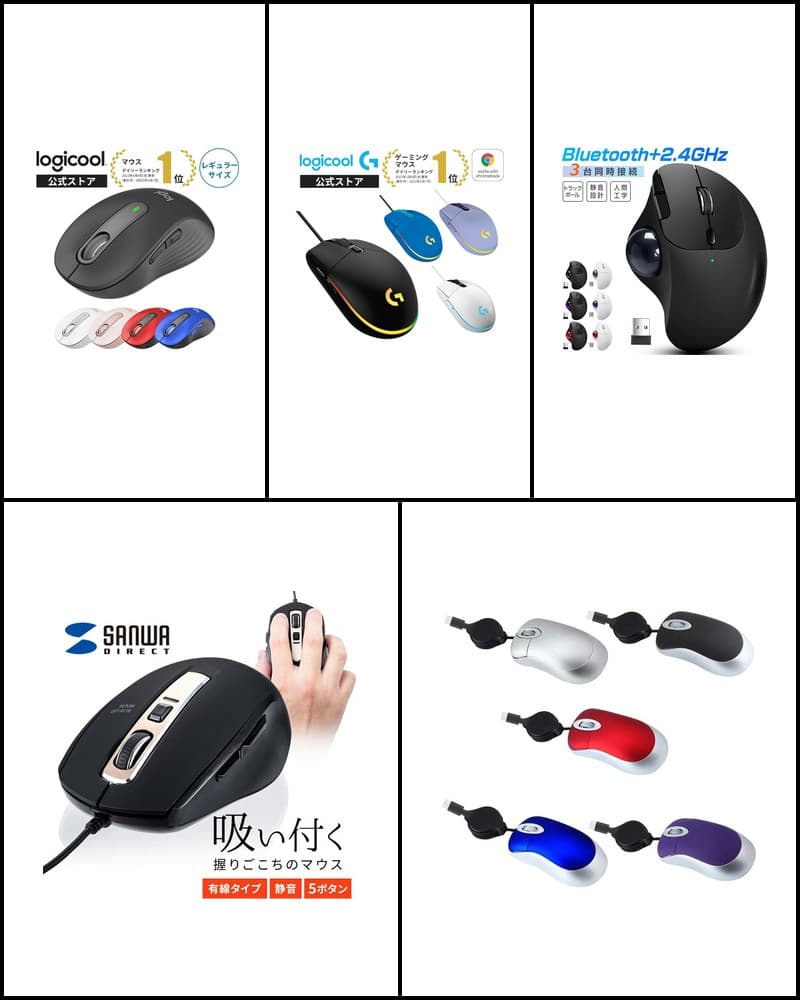
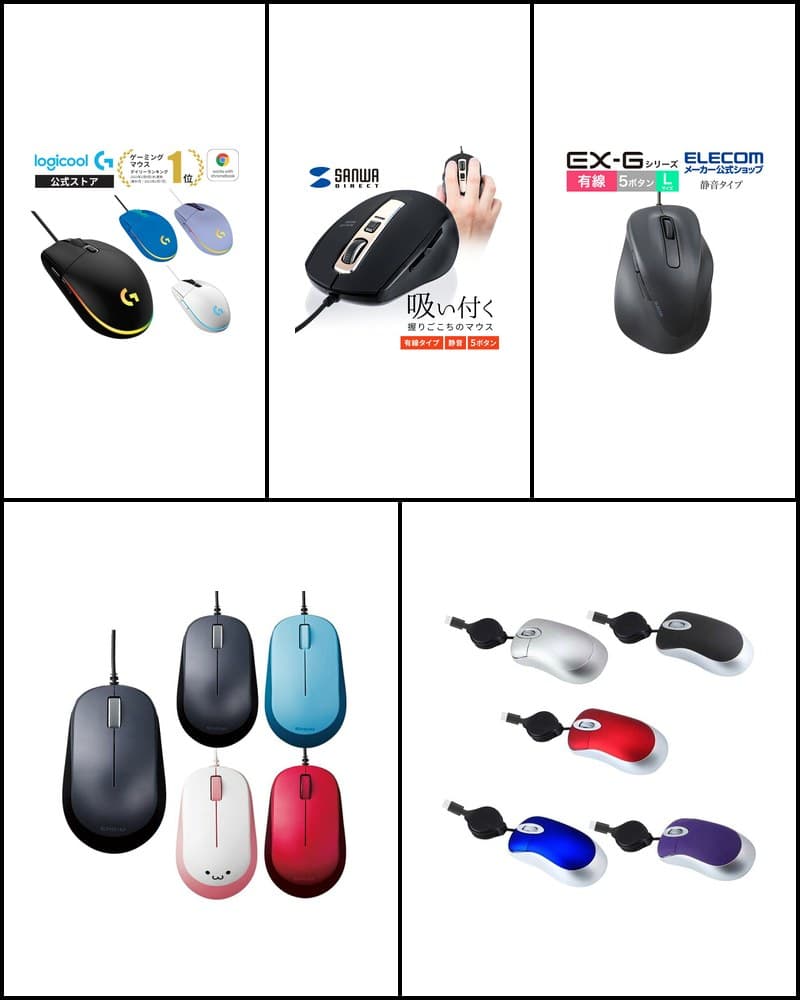
Silent mice use switches or buttons designed to reduce click noise. They are sometimes chosen for places where sound is a concern, such as offices, working from home, late-night work, or shared spaces. However, even silent models do not eliminate click noise completely, and the scope of quietness and how it is described differ by manufacturer and model. This article selects 5 silent mice covered on R13 Picks with non-overlapping connections and shapes—Bluetooth, 2.4GHz wireless, and wired—and organizes them with a comparison table and use-case recommendations. It is not a ranking but a comparison to help you choose a quiet mouse that fits how you work.
Models in this guide

Logicool M240 Silent Bluetooth Mouse
Bluetooth / simple
Check price on the store page
Read more
Logicool Signature M650
Work / everyday
Check price on the store page
Read more
Sanwa Direct 400-MA124BK
Wired / 5 buttons
Check price on the store page
Read more
ELECOM EX-G M-XGL30UBSKABK
Wired / L size
Check price on the store page
Read more
Nakabayashi Digio2 MUS-RIT126BK
2.4GHz wireless / simple
Check price on the store page
Read more*Prices are not listed because they change often. Check the store page for the latest price and stock.
5 silent mice comparison
| Product | Connection | Wired / Wireless | Bluetooth | Buttons | DPI | Weight | Silent spec | Features | Best for |
|---|---|---|---|---|---|---|---|---|---|
| Logicool M240 Silent Bluetooth Mouse | Bluetooth (no receiver) | Wireless | Yes | 3 | 1000dpi | 73.8g (with battery) | Clicks 90% quieter vs. M170 (manufacturer official) | Symmetrical, 1 AA battery | Simple / portable |
| Logicool Signature M650 | Logi Bolt USB receiver / Bluetooth Low Energy | Wireless | Yes | 5 (incl. tilt) | 400–4,000dpi | 101.2g (with battery) | SilentTouch (clicks 90% quieter vs. M170) | SmartWheel, dual connection | Work / everyday use |
| Sanwa Direct 400-MA124BK | USB Type-A | Wired | No | 5 | 800 / 1200 / 1600 / 2000 | Approx. 85.2g | Silent buttons (left/right clicks, side buttons) | Approx. 1.5m cable, 4-level DPI | Wired / 5 buttons |
| ELECOM EX-G M-XGL30UBSKABK | USB-A | Wired | No | 5 (incl. wheel button) | 2000DPI | Approx. 115g (incl. cable) | Silent model (manufacturer official) | L size, approx. 1.5m cable | Wired / larger size |
| Nakabayashi Digio2 MUS-RIT126BK | 2.4GHz (USB receiver) | Wireless | No | 3 | 800 / 1200 / 1600 | Approx. 62g (without receiver and battery) | Silent switches (left/right buttons, wheel button) | Receiver storage, 1 AA battery | Simple wireless |
Logicool M240 Silent Bluetooth Mouse
- Connection
- Bluetooth (no receiver)
- Wired / Wireless
- Wireless
- Bluetooth
- Yes
- Buttons
- 3
- DPI
- 1000dpi
- Weight
- 73.8g (with battery)
- Silent spec
- Clicks 90% quieter vs. M170 (manufacturer official)
- Features
- Symmetrical, 1 AA battery
- Best for
- Simple / portable
Logicool Signature M650
- Connection
- Logi Bolt USB receiver / Bluetooth Low Energy
- Wired / Wireless
- Wireless
- Bluetooth
- Yes
- Buttons
- 5 (incl. tilt)
- DPI
- 400–4,000dpi
- Weight
- 101.2g (with battery)
- Silent spec
- SilentTouch (clicks 90% quieter vs. M170)
- Features
- SmartWheel, dual connection
- Best for
- Work / everyday use
Sanwa Direct 400-MA124BK
- Connection
- USB Type-A
- Wired / Wireless
- Wired
- Bluetooth
- No
- Buttons
- 5
- DPI
- 800 / 1200 / 1600 / 2000
- Weight
- Approx. 85.2g
- Silent spec
- Silent buttons (left/right clicks, side buttons)
- Features
- Approx. 1.5m cable, 4-level DPI
- Best for
- Wired / 5 buttons
ELECOM EX-G M-XGL30UBSKABK
- Connection
- USB-A
- Wired / Wireless
- Wired
- Bluetooth
- No
- Buttons
- 5 (incl. wheel button)
- DPI
- 2000DPI
- Weight
- Approx. 115g (incl. cable)
- Silent spec
- Silent model (manufacturer official)
- Features
- L size, approx. 1.5m cable
- Best for
- Wired / larger size
Nakabayashi Digio2 MUS-RIT126BK
- Connection
- 2.4GHz (USB receiver)
- Wired / Wireless
- Wireless
- Bluetooth
- No
- Buttons
- 3
- DPI
- 800 / 1200 / 1600
- Weight
- Approx. 62g (without receiver and battery)
- Silent spec
- Silent switches (left/right buttons, wheel button)
- Features
- Receiver storage, 1 AA battery
- Best for
- Simple wireless
For a simple Bluetooth silent mouse
If you want to connect via Bluetooth without a receiver, the Logicool M240 Silent Bluetooth Mouse is a candidate. The manufacturer states its clicks are 90% quieter than the previous M170, and it has a simple 1000dpi, 3-button layout. It weighs 73.8g (with battery) and has a symmetrical design usable with either hand.
For work and everyday use
For a silent mouse for work and everyday use, there is the Logicool Signature M650. It connects via Logi Bolt USB receiver or Bluetooth Low Energy, and SilentTouch is described as making clicks 90% quieter than the M170. It features SmartWheel, which switches to high-speed scrolling when spun quickly, a 400–4,000dpi sensor, and 5 buttons including tilt.
For wired and 5 buttons
For a wired silent mouse with no batteries or charging, the Sanwa Direct 400-MA124BK is a candidate. It has a 5-button layout with silent buttons for the left/right clicks and side buttons, and its DPI switches in 4 levels: 800 / 1200 / 1600 / 2000 count/inch. It connects via USB Type-A with an approx. 1.5m cable.
For a larger wired silent mouse
If you are looking for a larger mouse that is easy to support with your whole palm, there is the ELECOM EX-G M-XGL30UBSKABK. It is an L-size wired mouse at approx. 115g (incl. cable), introduced as a silent model by the manufacturer. It uses BlueLED at 2000DPI, and functions can be assigned to its 5 buttons, including the wheel button, with ELECOM Mouse Assistant.
For a simple 2.4GHz wireless model
For a wireless silent mouse that works by just plugging in a USB receiver, the Nakabayashi Digio2 MUS-RIT126BK is a candidate. It has a 3-button layout with silent switches for the left/right and wheel buttons, and 3 DPI levels: 800 / 1200 / 1600. The receiver stores in the body, and it runs on 1 AA battery.
How to choose a silent mouse
Wired vs. wireless
A wired silent mouse connects to your computer with a cable, so there are no batteries to replace or charge. A wireless silent mouse keeps your desk tidier without a cable and suits carrying with a laptop. The basic choice depends on whether you use a fixed desk, want fewer cables, or plan to carry it.
Bluetooth vs. 2.4GHz receiver
Wireless silent mice mainly connect via Bluetooth or 2.4GHz using a USB receiver. Bluetooth mice don't occupy a USB port, but the device must support Bluetooth. 2.4GHz models use a receiver plugged into a USB port, so the device needs a USB Type-A port. Models that support both can be used to match each device.
Number of buttons
A 3-button layout with left/right clicks and a wheel is simple and easy to use. Models with around 5 buttons including back/forward are worth checking for browsing or work that involves moving between documents. For silent mice, also check whether only the left/right clicks are quiet or whether side and wheel buttons are included.
DPI
DPI indicates how far the cursor moves when you move the mouse. Models with DPI switching can be adjusted to your screen size and work. Models without switching suit people who want simple use without settings.
Size and weight
Whether a mouse fits your hand is worth checking for long sessions. Larger L-size models are easier to support with your whole palm, while smaller, lighter models are easier to carry. Weight figures differ depending on whether batteries or cables are included, so check the conditions when comparing.
Battery, rechargeable, or wired
Wireless silent mice are either battery-powered or rechargeable. Battery models use replaceable batteries, while rechargeable ones are charged with a cable. Among these 5 models, the M240, M650, and MUS-RIT126BK run on 1 AA battery. Wired models are powered via USB, so they need neither batteries nor charging.
What to check for work
When choosing a silent mouse for work, in addition to the silent spec, it helps to check your computer's ports, Bluetooth support, and whether the buttons work on your OS. For long hours in the office or working from home, whether the size fits your hand and whether you need back/forward buttons or scrolling features are also points to consider.
Product details
Logicool M240 Silent Bluetooth Mouse
A simple, quiet, lightweight, symmetrical mouse that connects via Bluetooth without a receiver.
Check price on the store page
Key features
- Bluetooth connection only (no USB receiver included)
- Clicks 90% quieter than the previous M170 (manufacturer official)
- 1000dpi, 3 buttons, symmetrical design at 73.8g (with battery)
Recommended for
- People looking for a silent mouse that keeps USB ports free
- People looking for a simple mouse that also works left-handed
Notes
- Cannot be used with devices that lack Bluetooth
- No back/forward buttons or DPI switching
Logicool Signature M650
An everyday wireless mouse with dual Logi Bolt and Bluetooth connection, SmartWheel, and quiet clicks.
Check price on the store page
Key features
- Dual connection via Logi Bolt USB receiver and Bluetooth Low Energy
- SilentTouch makes clicks 90% quieter than the M170 (manufacturer official)
- SmartWheel, 400–4,000dpi, 5 buttons including tilt, 101.2g (with battery)
Recommended for
- People who want a silent mouse for work and everyday use
- People who want to switch connection types to match devices
Notes
- Supported OS differs by connection type
- Not aimed at gaming-focused performance
Sanwa Direct 400-MA124BK
A USB wired mouse with silent buttons, back/forward buttons, and 4-level DPI.
Check price on the store page
Key features
- Wired mouse connecting via USB Type-A (approx. 1.5m cable)
- 5-button layout with silent buttons for the left/right clicks and side buttons
- 4-level switching at 800 / 1200 / 1600 / 2000 count/inch, approx. 85.2g
Recommended for
- People looking for a wired, silent, 5-button mouse
- People who don't want to worry about batteries or charging
Notes
- On Mac, the side buttons cannot be used and pressing the wheel button is not supported
ELECOM EX-G M-XGL30UBSKABK
An L-size silent wired mouse from the EX-G series with a BlueLED sensor and 5 buttons.
Check price on the store page
Key features
- Wired mouse connecting via USB-A (approx. 1.5m cable), introduced as a silent model by the manufacturer
- BlueLED, 2000DPI, 5 buttons including the wheel button
- L size, approx. 115g (incl. cable), button assignment via ELECOM Mouse Assistant
Recommended for
- People looking for a larger L-size silent mouse
- People who want a wired 5-button mouse
Notes
- Even as a silent model, click noise does not disappear completely
- Not aimed in the same direction as gaming-focused models
Nakabayashi Digio2 MUS-RIT126BK
A simple 2.4GHz wireless mouse with silent switches on the left/right and wheel buttons.
Check price on the store page
Key features
- 2.4GHz wireless via USB receiver; the receiver stores in the body
- Silent switches on the left/right and wheel buttons, 3-button layout
- 3-level switching at 800 / 1200 / 1600dpi, approx. 62g (without receiver and battery)
Recommended for
- People looking for a simple silent wireless mouse
- People who just want to plug in a USB receiver
Notes
- Does not support Bluetooth
- Check compatibility on devices without a USB Type-A port
Not sure which to choose?
- For a simple Bluetooth silent mouse → Logicool M240 Silent Bluetooth Mouse
- To switch connection types for work and everyday use → Logicool Signature M650
- For a wired, silent, 5-button mouse → Sanwa Direct 400-MA124BK
- For a larger L-size wired silent mouse → ELECOM EX-G M-XGL30UBSKABK
- For a simple wireless model with a plug-in receiver → Nakabayashi Digio2 MUS-RIT126BK
Summary
Which silent mouse suits you depends on connection, buttons, size, and power. The M240 is easy to choose for simple Bluetooth use, the M650 for switching between two connections at work, the silent 5-button 400-MA124BK or the L-size EX-G for wired use, and the MUS-RIT126BK for simple 2.4GHz wireless. To compare all types, see the "10 recommended mice" guide; to focus on wired models, see the "5 best wired mice" guide. Check each product article for detailed specs, and the store page for the latest price and stock.