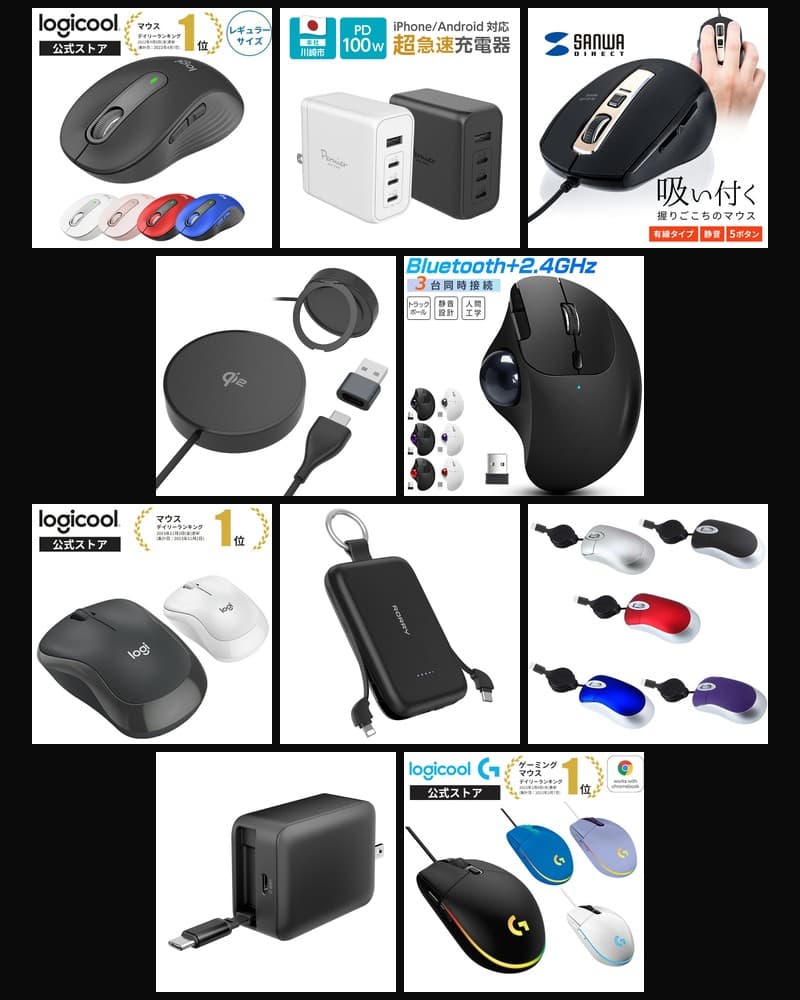
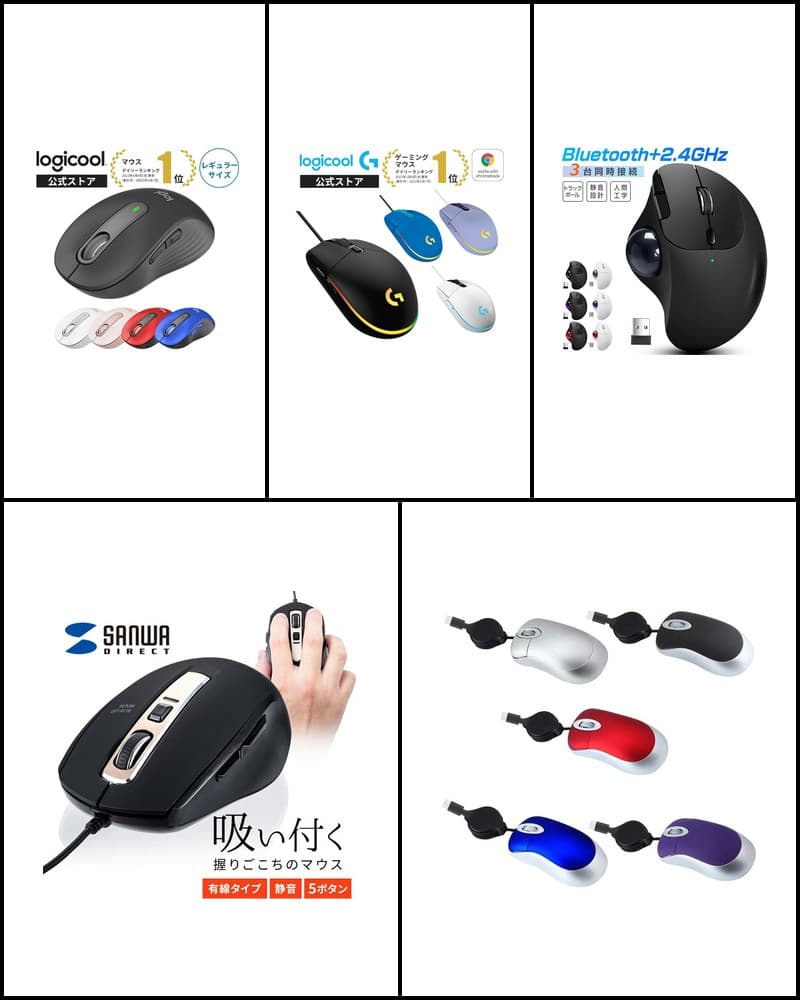
The right work gadget depends on which part of your desk work you want to improve—from a mouse that makes PC operation easier, to a monitor that expands your screen, to a laptop you can carry. This article selects 10 models covered on R13 Picks—mice, a trackball, monitors, a portable monitor, laptops, and a USB charger—and organizes them with a comparison table and use-case recommendations. Whether you're looking for work-from-home gadgets, office gadgets, or gadgets that boost productivity, it's a guide to comparing recommended PC accessories while thinking about your desk setup. It's not a ranking; it's meant to help you choose based on your tasks and environment. Check each product article for detailed specs and each sales page for the latest price and stock.
Models in this guide

Logicool Signature M650 M650MGR
PC operation / quiet
Check the sales page for price
See details
Sanwa Direct 400-MAWBT207
Productivity / horizontal scrolling
Check the sales page for price
See details
Logicool M240 Silent Bluetooth Mouse M240GR
Portable / quiet
Check the sales page for price
See details
EWINE-type Trackball Mouse
Space saving / 3 devices
Check the sales page for price
See details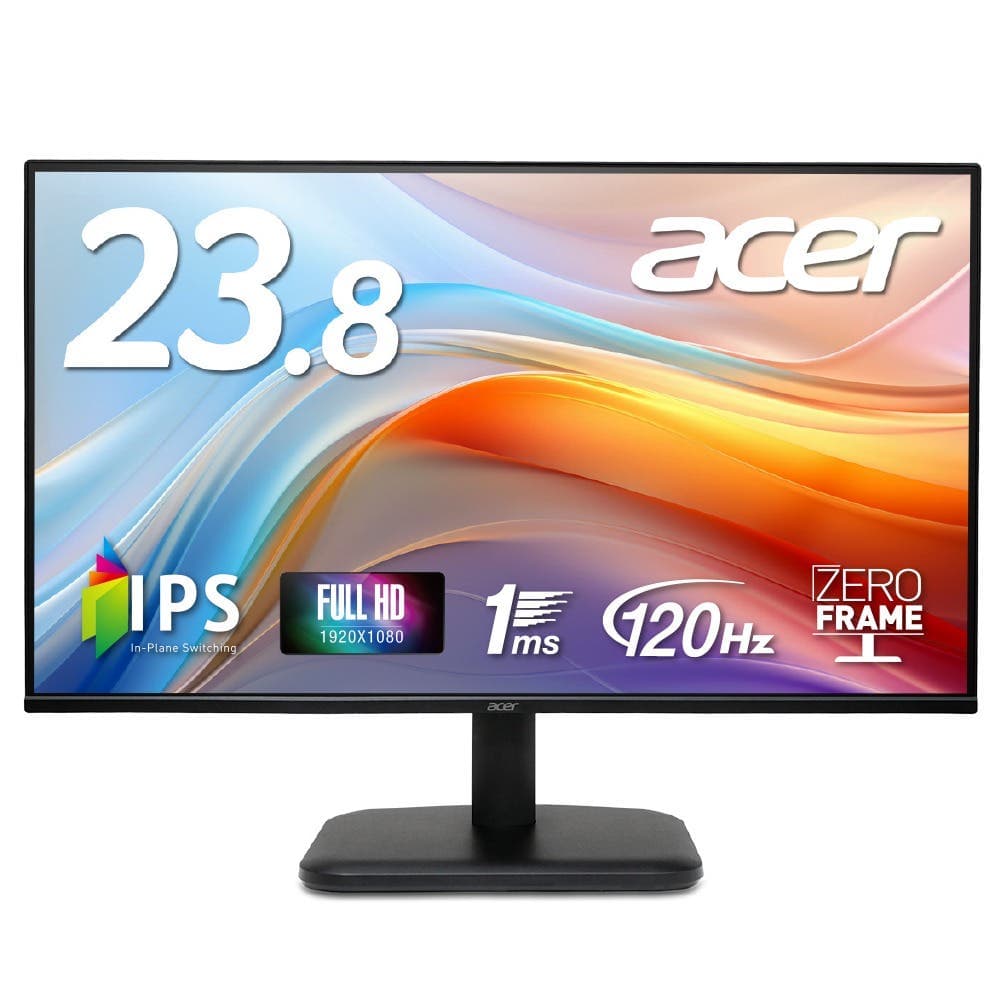
Acer EK241YGbmix 23.8-inch Monitor
Screen expansion / 23.8 inches
Check the sales page for price
See details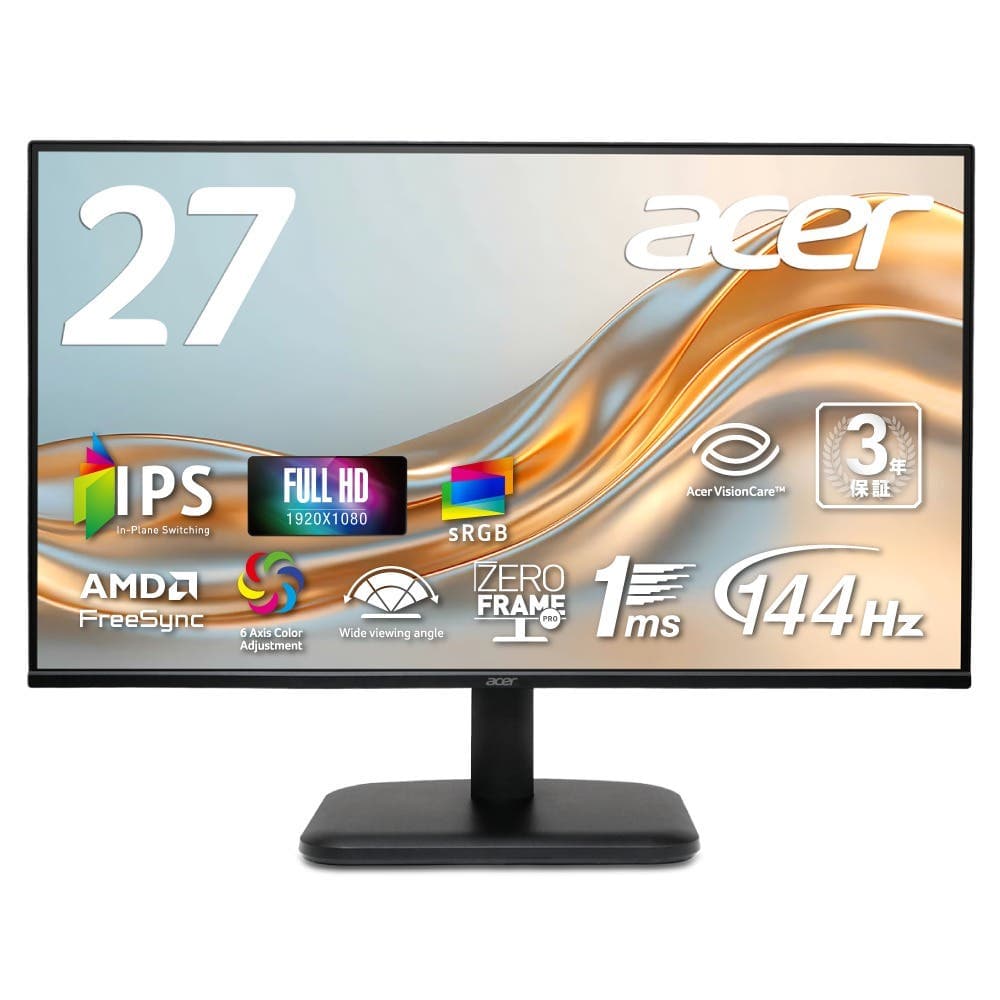
Acer EK271P6bi 27-inch Monitor
Screen expansion / 27 inches
Check the sales page for price
See details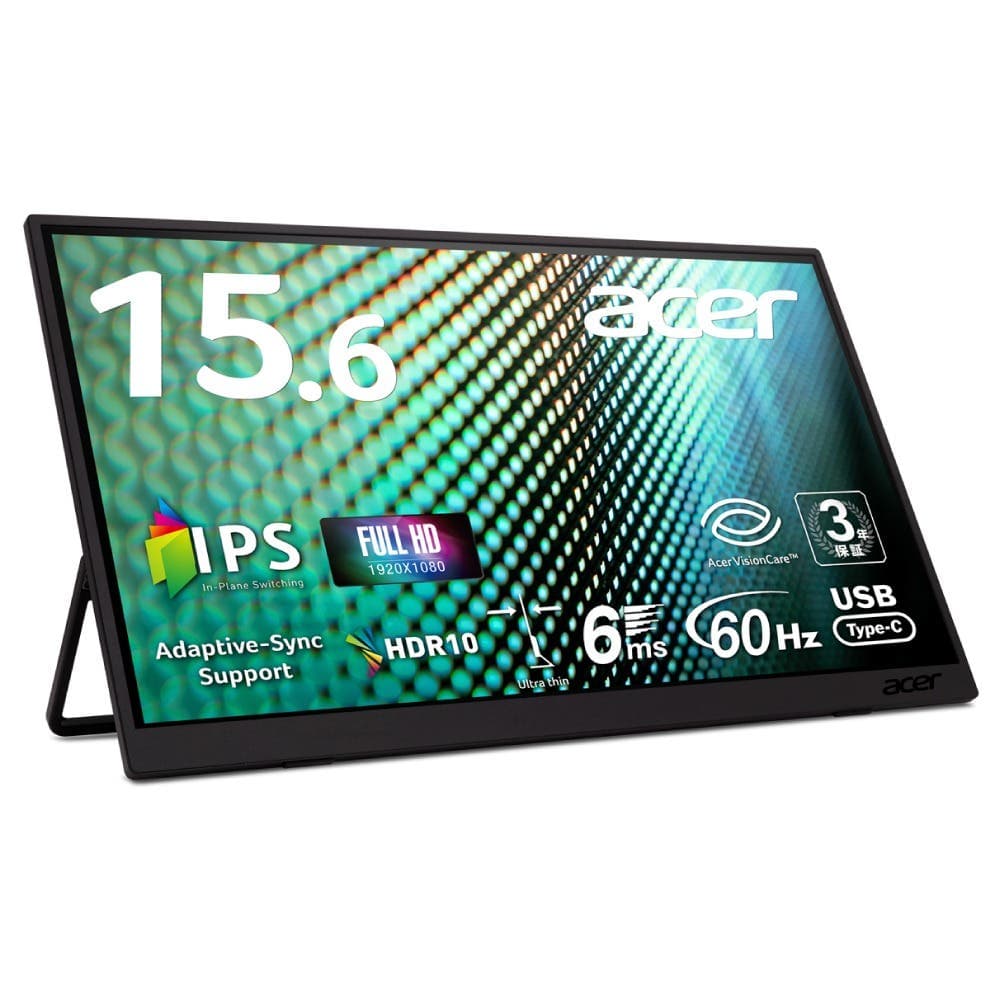
Acer PM161QTA1bmiuux 15.6-inch Portable Monitor
Screen expansion / portable
Check the sales page for price
See details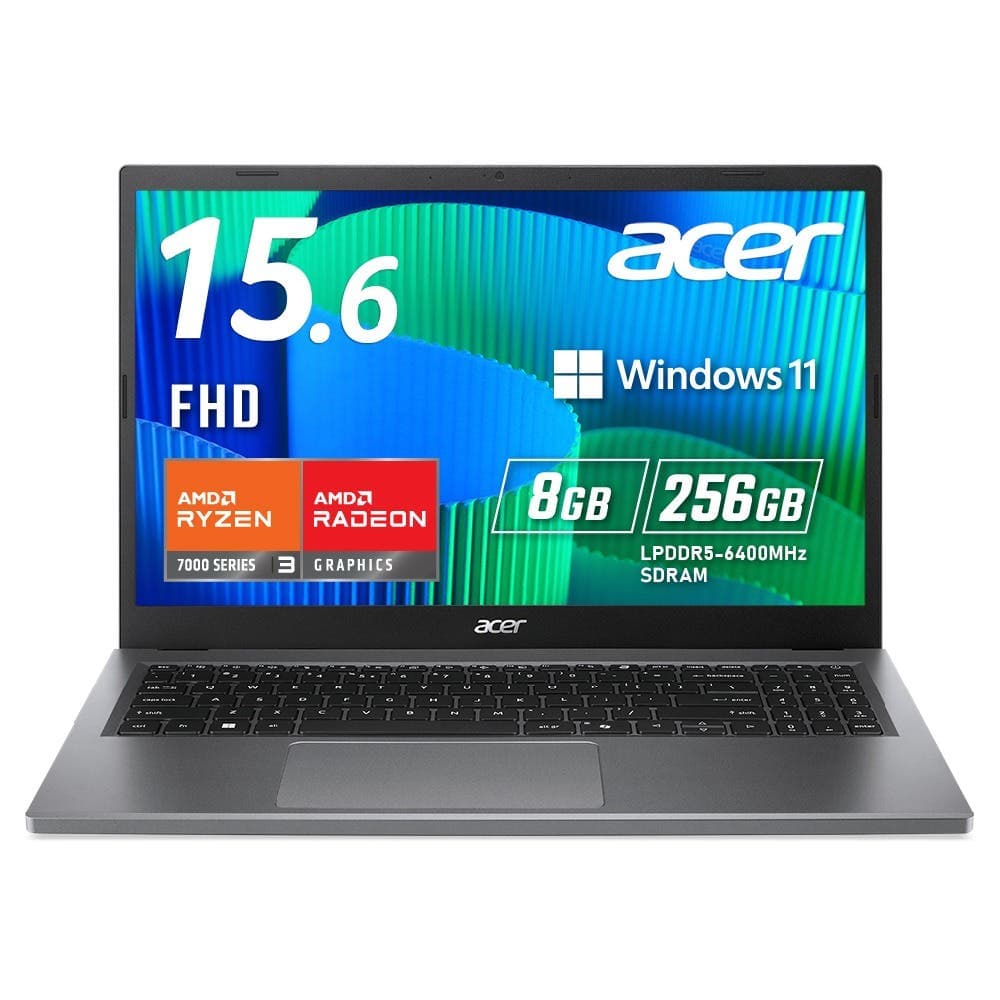
Acer Extensa 15 EX215-24-A38U
Office / Windows 11 Pro
Check the sales page for price
See details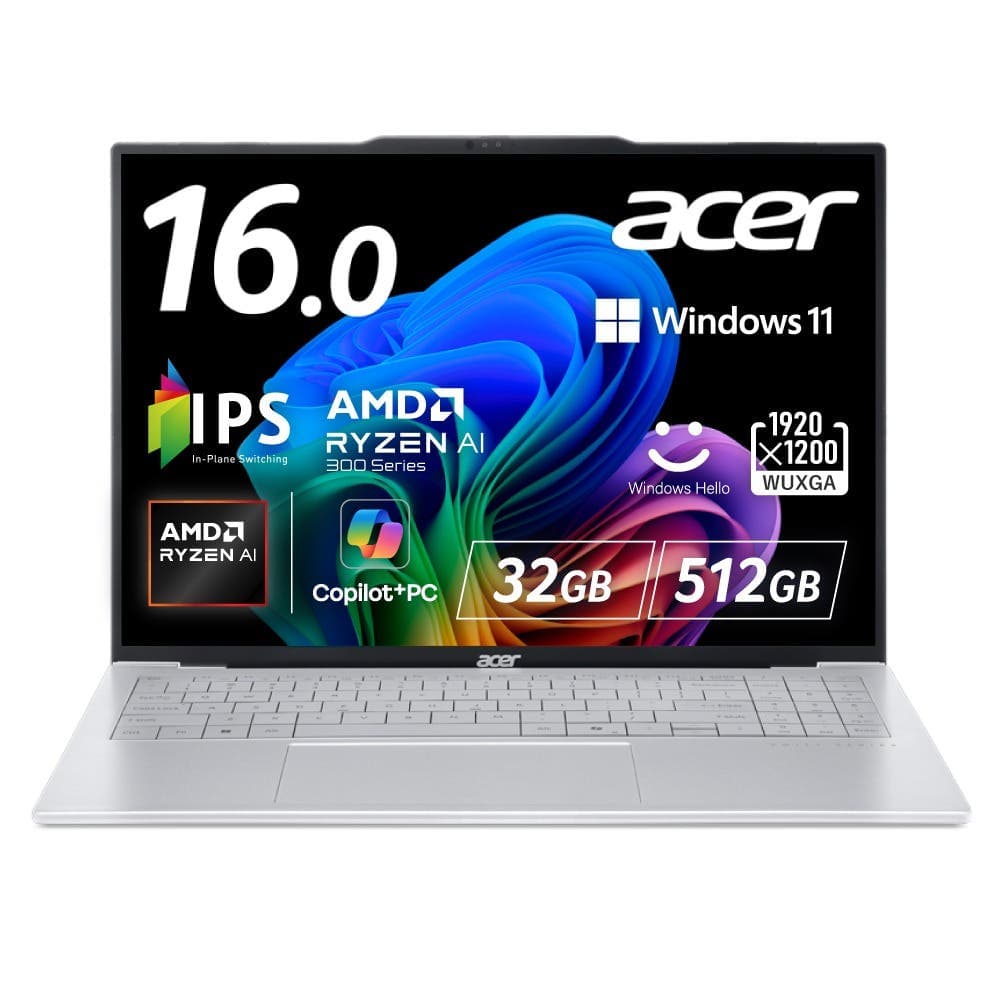
Acer Swift Air 16 SFA16-61M-N73Y
Portable / 16 inches
Check the sales page for price
See details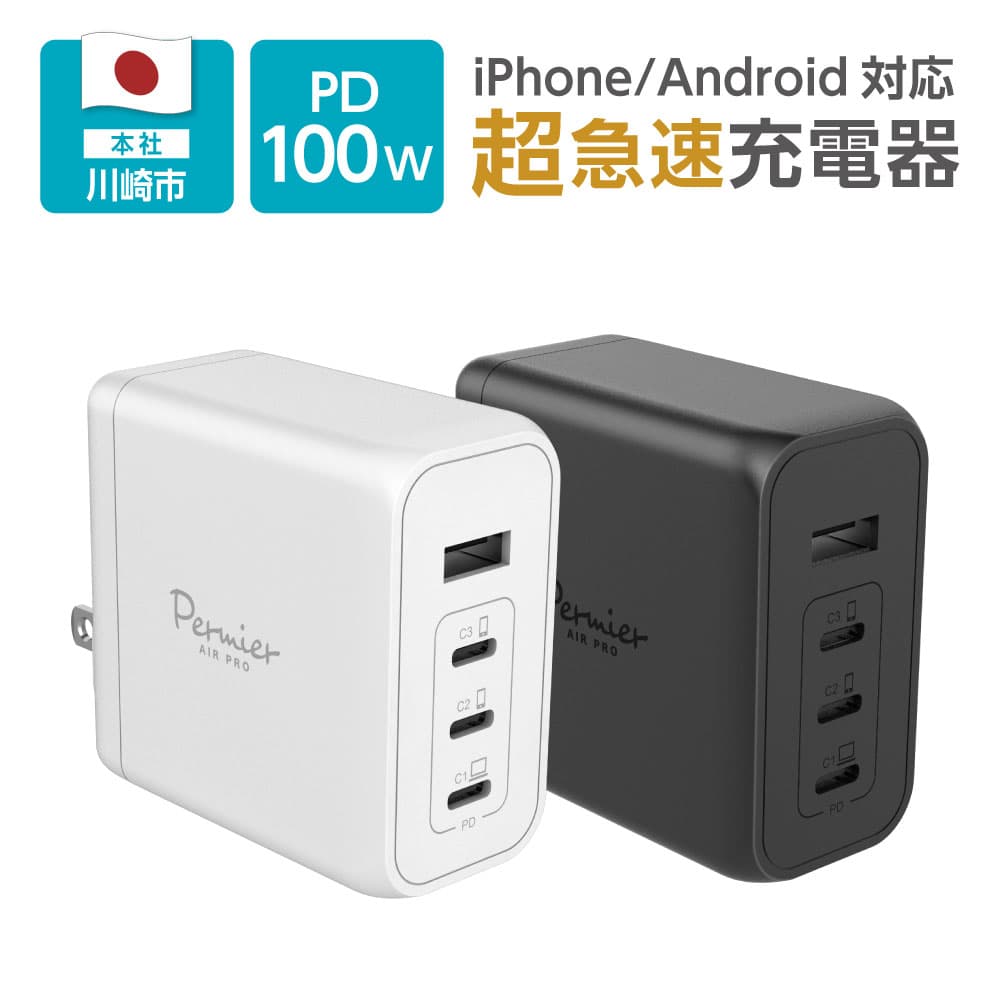
tama's PR-AP160UC3
Charging / 4 ports
Check the sales page for price
See details*Sizes and specs are based on each sales page and official product page. Prices change easily, so they are not listed. Check each sales page for the latest price and stock.
How to choose work gadgets
Choose by the work you do
Sorting out which tasks you do most makes choosing easier. If you scroll a lot through documents or web pages, consider a mouse with scrolling features; to place multiple windows side by side, a monitor or portable monitor; to work on the go, a laptop; and to charge multiple devices, a USB charger. These 10 models fall into four directions: PC operation, screen expansion, work devices, and charging.
Wired / wireless and connection type
All the mice in this guide are wireless. The Logicool Signature M650 supports Logi Bolt and Bluetooth, the Sanwa Direct 400-MAWBT207 supports Bluetooth and 2.4GHz, the EWINE-type trackball supports 2.4GHz and Bluetooth, and the Logicool M240 uses Bluetooth only. The monitors connect via HDMI and mini D-Sub 15-pin, and the portable monitor via USB Type-C and mini HDMI. Check these against your PC's ports.
Quietness
In an office or a home shared with family, a mouse with reduced click noise is a candidate. The sales page for the Logicool Signature M650 states click noise is reduced by 90% compared with the previous model, and Logicool officially states the M240 reduces click noise by 90% compared with the previous M170. The Sanwa Direct 400-MAWBT207 has silent buttons, and the EWINE-type trackball has a quiet design. None of these means there is no sound at all.
Compatible devices
If you use multiple devices, it's worth checking supported OS and multi-pairing. The EWINE-type trackball supports 3 simultaneous connections, and the Sanwa Direct 400-MAWBT207 supports Bluetooth multi-pairing with up to 2 devices. The portable monitor's touch function requires connection with the included USB Type-C cable, and 10-point touch is noted as Windows 10 or later. Check each product article for detailed compatibility.
Screen size
When adding screens, it helps to choose a size based on placement and use. For a stationary setup, the 23.8-inch Acer EK241YGbmix or 27-inch Acer EK271P6bi; to carry, the 15.6-inch Acer PM161QTA1bmiuux. For laptops, the Acer Extensa 15 has a 15.6-inch Full HD display, and the Acer Swift Air 16 has a 16-inch WUXGA (1920×1200) display.
Size and portability
If you carry gear to the office or on the go, checking the weight makes choosing easier. The Acer Swift Air 16 weighs approx. 990g, the Acer PM161QTA1bmiuux approx. 700g (approx. 1.09kg with cover), and the Logicool M240 73.8g (with battery). The Acer Extensa 15 weighs approx. 1,720g, so if you carry it often, compare its weight with other models.
Saving space
If your desk is small, pay attention to operating space and cabling. A trackball moves the cursor with a ball without moving the body, so it's easy to use where there's little room to move a mouse. Both monitors support VESA mount 100×100mm, so preparing a separate monitor arm widens your placement options. The charger has 3 USB-C ports and 1 USB-A port, letting you consolidate charging for multiple devices into one unit.
Working from home / the office
When working from home, gadgets that improve your home desk—such as a monitor to expand your screen or a quiet mouse to keep noise down—are central. In the office, options include a laptop whose management and security features can be confirmed officially, such as the Windows 11 Pro Acer Extensa 15, and an easy-to-carry mouse. If you go back and forth between home and the office, a light laptop or portable monitor is also a candidate.
10 work gadgets comparison
| Product | Category | Main use | Connection / ports | Size / weight | Features | Recommended work environment |
|---|---|---|---|---|---|---|
| Logicool Signature M650 M650MGR | Wireless mouse | PC operation / scrolling | Logi Bolt USB receiver / Bluetooth Low Energy | W61.8 × D107.19 × H37.8mm, 101.2g (with battery) | SmartWheel, 400–4,000dpi, quiet | Working from home / office |
| Sanwa Direct 400-MAWBT207 | Wireless mouse | PC operation / horizontal scrolling | Bluetooth 5.1 (BLE) / 2.4GHz | Approx. W76.3 × D111.7 × H47.5mm, approx. 108g | Side wheel, fast scrolling, rechargeable, silent buttons | Spreadsheets / document work |
| Logicool M240 Silent Bluetooth Mouse M240GR | Bluetooth mouse | PC operation / portability | Bluetooth (no USB receiver) | W60 × D39 × H99mm, 73.8g (with battery) | Quiet, symmetrical, 3 buttons | On the go / office |
| EWINE-type Trackball Mouse | Trackball mouse | PC operation / space saving | 2.4GHz / Bluetooth 5.0 & 3.0 | Approx. 135.31 × 98.92 × 45.55mm, approx. 125.5g | 3-device connection, 5-level DPI, 7 buttons, quiet design | Small desks / multiple devices |
| Acer EK241YGbmix | Monitor | Screen expansion | HDMI 1.4 / mini D-Sub 15-pin | 23.8 inches, approx. 2.7kg (with stand) | Full HD IPS non-glare, 120Hz (HDMI), built-in speakers | Working from home / secondary display |
| Acer EK271P6bi | Monitor | Screen expansion | HDMI 1.4 / mini D-Sub 15-pin | 27 inches, approx. 3.4kg (with stand) | Full HD IPS non-glare, 144Hz (HDMI), sRGB 99% | Desks where you want a large screen |
| Acer PM161QTA1bmiuux | Portable monitor | Screen expansion / portability | USB Type-C ×2 / mini HDMI | 15.6 inches, approx. 700g | Full HD IPS non-glare, 10-point multi-touch | On the go / home and office |
| Acer Extensa 15 EX215-24-A38U | Laptop | Work device | Wi-Fi 6 / USB Type-C ×2, Type-A, HDMI | 15.6 inches, approx. 1,720g | Windows 11 Pro, Ryzen 3 7320U, 8GB, 256GB SSD | Office / administrative work |
| Acer Swift Air 16 SFA16-61M-N73Y | Laptop | Work device / portability | Wi-Fi 6E / USB Type-C ×2, Type-A, HDMI | 16 inches, approx. 990g | Ryzen AI 7 345, 32GB, 512GB SSD, WUXGA | Moving between home and office |
| tama's PR-AP160UC3 | Wall charger | Charging | 3 USB-C ports / 1 USB-A port | Check the sales page | USB PD 100W, GaN, foldable plug | Organizing desk charging |
Logicool Signature M650 M650MGR
- Category
- Wireless mouse
- Main use
- PC operation / scrolling
- Connection / ports
- Logi Bolt USB receiver / Bluetooth Low Energy
- Size / weight
- W61.8 × D107.19 × H37.8mm, 101.2g (with battery)
- Features
- SmartWheel, 400–4,000dpi, quiet
- Recommended work environment
- Working from home / office
Sanwa Direct 400-MAWBT207
- Category
- Wireless mouse
- Main use
- PC operation / horizontal scrolling
- Connection / ports
- Bluetooth 5.1 (BLE) / 2.4GHz
- Size / weight
- Approx. W76.3 × D111.7 × H47.5mm, approx. 108g
- Features
- Side wheel, fast scrolling, rechargeable, silent buttons
- Recommended work environment
- Spreadsheets / document work
Logicool M240 Silent Bluetooth Mouse M240GR
- Category
- Bluetooth mouse
- Main use
- PC operation / portability
- Connection / ports
- Bluetooth (no USB receiver)
- Size / weight
- W60 × D39 × H99mm, 73.8g (with battery)
- Features
- Quiet, symmetrical, 3 buttons
- Recommended work environment
- On the go / office
EWINE-type Trackball Mouse
- Category
- Trackball mouse
- Main use
- PC operation / space saving
- Connection / ports
- 2.4GHz / Bluetooth 5.0 & 3.0
- Size / weight
- Approx. 135.31 × 98.92 × 45.55mm, approx. 125.5g
- Features
- 3-device connection, 5-level DPI, 7 buttons, quiet design
- Recommended work environment
- Small desks / multiple devices
Acer EK241YGbmix
- Category
- Monitor
- Main use
- Screen expansion
- Connection / ports
- HDMI 1.4 / mini D-Sub 15-pin
- Size / weight
- 23.8 inches, approx. 2.7kg (with stand)
- Features
- Full HD IPS non-glare, 120Hz (HDMI), built-in speakers
- Recommended work environment
- Working from home / secondary display
Acer EK271P6bi
- Category
- Monitor
- Main use
- Screen expansion
- Connection / ports
- HDMI 1.4 / mini D-Sub 15-pin
- Size / weight
- 27 inches, approx. 3.4kg (with stand)
- Features
- Full HD IPS non-glare, 144Hz (HDMI), sRGB 99%
- Recommended work environment
- Desks where you want a large screen
Acer PM161QTA1bmiuux
- Category
- Portable monitor
- Main use
- Screen expansion / portability
- Connection / ports
- USB Type-C ×2 / mini HDMI
- Size / weight
- 15.6 inches, approx. 700g
- Features
- Full HD IPS non-glare, 10-point multi-touch
- Recommended work environment
- On the go / home and office
Acer Extensa 15 EX215-24-A38U
- Category
- Laptop
- Main use
- Work device
- Connection / ports
- Wi-Fi 6 / USB Type-C ×2, Type-A, HDMI
- Size / weight
- 15.6 inches, approx. 1,720g
- Features
- Windows 11 Pro, Ryzen 3 7320U, 8GB, 256GB SSD
- Recommended work environment
- Office / administrative work
Acer Swift Air 16 SFA16-61M-N73Y
- Category
- Laptop
- Main use
- Work device / portability
- Connection / ports
- Wi-Fi 6E / USB Type-C ×2, Type-A, HDMI
- Size / weight
- 16 inches, approx. 990g
- Features
- Ryzen AI 7 345, 32GB, 512GB SSD, WUXGA
- Recommended work environment
- Moving between home and office
tama's PR-AP160UC3
- Category
- Wall charger
- Main use
- Charging
- Connection / ports
- 3 USB-C ports / 1 USB-A port
- Size / weight
- Check the sales page
- Features
- USB PD 100W, GaN, foldable plug
- Recommended work environment
- Organizing desk charging
10 best work gadgets
Logicool Signature M650 M650MGR
A wireless mouse with two connection methods, Logi Bolt and Bluetooth, plus quiet clicks and SmartWheel.
Check the sales page for price
Key features
- Two connection methods: Logi Bolt USB receiver and Bluetooth Low Energy
- SmartWheel (automatically switches to fast scrolling when spun hard), 400–4,000dpi
- SilentTouch reduces click noise by 90% compared with the previous model (per the sales page)
Good for
- People looking for a quiet wireless mouse for working from home or the office
- People who often scroll through long documents or web pages
Notes
- Runs on one AA battery, so you'll need a battery
Sanwa Direct 400-MAWBT207
A rechargeable Bluetooth / 2.4GHz mouse with side-wheel horizontal scrolling and fast scrolling.
Check the sales page for price
Key features
- Two connection methods: Bluetooth 5.1 (BLE) and 2.4GHz wireless; Bluetooth multi-pairing with up to 2 devices
- Horizontal scrolling with the side wheel, plus normal and fast scrolling
- Built-in battery charged via USB A to C cable, silent buttons
Good for
- People who often work with wide spreadsheets or timelines
- People who want to switch between 2 devices via Bluetooth
Notes
- The sales page notes horizontal scrolling in Excel may not work properly in some older versions
Logicool M240 Silent Bluetooth Mouse M240GR
A lightweight quiet mouse at 73.8g (with battery) that connects via Bluetooth with no receiver.
Check the sales page for price
Key features
- Bluetooth connection (no USB receiver included)
- Click noise reduced by 90% compared with the previous M170 (manufacturer official)
- 1000dpi, 3 buttons, symmetrical design, 73.8g (with battery)
Good for
- People who want to carry a mouse with a laptop to the office or on the go
- People looking for a simple quiet mouse
Notes
- Cannot be used with devices that don't support Bluetooth
- No back/forward buttons or DPI switching
EWINE-type Trackball Mouse
A wireless thumb-operated trackball with 2.4GHz and Bluetooth connection and 3-device support.
Check the sales page for price
Key features
- Thumb-operated trackball
- Supports 2.4GHz, Bluetooth 5.0, and Bluetooth 3.0, with 3 simultaneous connections
- 5-level DPI: 200 / 400 / 800 / 1200 / 1600, 7 buttons, quiet design
Good for
- People using a desk with limited room to move a mouse
- People who switch between multiple devices such as a PC and tablet
Notes
- It feels different from a regular mouse and may take time to get used to
- The forward/back buttons are not supported on Mac
Acer EK241YGbmix 23.8-inch Monitor
A 23.8-inch Full HD IPS (non-glare) monitor with built-in speakers.
Check the sales page for price
Key features
- 23.8-inch wide, Full HD (1920×1080), IPS non-glare, sRGB 99%
- 48–120Hz over HDMI; inputs: HDMI 1.4 ×1, mini D-Sub 15-pin ×1
- 2W + 2W stereo speakers, headphone jack, VESA mount 100×100mm
Good for
- People who want to expand their workspace with a secondary display for a laptop
- People who want simple sound without external speakers
Notes
- No height adjustment, swivel, or pivot
- 120Hz is only over HDMI
Acer EK271P6bi 27-inch Monitor
A 27-inch Full HD IPS (non-glare) monitor for a large screen.
Check the sales page for price
Key features
- 27-inch, Full HD (1920×1080), IPS non-glare, sRGB 99%, display area 597×336mm
- 48–144Hz over HDMI; inputs: HDMI 1.4 ×1, mini D-Sub 15-pin ×1
- VESA mount 100×100mm, Kensington lock
Good for
- People who want to view documents and browsers on a large screen
- People with room on their desk for a larger monitor
Notes
- No speakers, headphone jack, or audio input
- No height adjustment, swivel, or pivot
Acer PM161QTA1bmiuux 15.6-inch Portable Monitor
A 15.6-inch Full HD IPS (non-glare) touch portable monitor at approx. 700g.
Check the sales page for price
Key features
- 15.6-inch, Full HD (1920×1080), IPS non-glare, 10-point multi-touch
- Inputs: mini HDMI 2.1 ×1, USB 3.2 Type-C ×2 (PD support)
- Approx. 355×210×15mm, approx. 700g, 0°–90° tilt with kickstand
Good for
- People who want to expand a laptop screen on the go or at the office
- People who want to carry a secondary display between home and office
Notes
- A separate USB AC adapter is needed if the connected device can't supply power
- Power via USB Type-C is required when connecting via mini HDMI
- No VESA mount
Acer Extensa 15 EX215-24-A38U
A 15.6-inch Full HD laptop with Windows 11 Pro.
Check the sales page for price
Key features
- Windows 11 Pro 64-bit, AMD Ryzen 3 7320U, 8GB memory, 256GB SSD
- 15.6-inch Full HD (1920×1080), non-glare
- HD webcam, 2 built-in microphones, Acer PurifiedVoice, Wi-Fi 6, approx. 10 hours battery
Good for
- People looking for a work laptop centered on administrative tasks and browsing
- People who want to check Windows 11 Pro management and security features
Notes
- Memory is 8GB onboard and cannot be expanded
- No wired LAN, fingerprint authentication, or memory card slot
Acer Swift Air 16 SFA16-61M-N73Y
A laptop with 32GB memory that pairs a 16-inch WUXGA IPS display with approx. 990g.
Check the sales page for price
Key features
- 16-inch WUXGA (1920×1200, 16:10) IPS non-glare, approx. 990g
- AMD Ryzen AI 7 345, 32GB onboard memory, 512GB SSD
- Full HD IR webcam (with slide cover), Wi-Fi 6E, approx. 13 hours battery (standard)
Good for
- People considering a work laptop for both home and the office
- People who want to check a 16-inch screen together with light weight
Notes
- Memory is onboard and cannot be changed or expanded
- No memory card slot
tama's PR-AP160UC3
A USB PD 100W GaN charger with 3 USB-C ports and 1 USB-A port.
Check the sales page for price
Key features
- USB Power Delivery, 100W
- 3 USB-C ports, 1 USB-A port, PPS support
- GaN (gallium nitride), foldable plug
Good for
- People who want to consolidate desk charging into one unit
- People who want to charge laptops, smartphones, and other devices listed by the manufacturer
Notes
- No charging cable included (per the official listing)
- Check the official product page for output distribution when using multiple ports
Recommendations by use
Make PC operation more comfortable
Logicool Signature M650 M650MGR
A wireless mouse for everyday work with SmartWheel, a 400–4,000dpi sensor, and two connection methods.
Work faster with spreadsheets and documents
Sanwa Direct 400-MAWBT207
Scroll horizontally with the thumb-side wheel, with support for normal and fast scrolling.
Quietness first
Logicool M240 Silent Bluetooth Mouse M240GR
Click noise reduced by 90% compared with the previous M170 (manufacturer official). For a quiet model with more buttons, the Signature M650 is also a candidate.
Saving space
EWINE-type Trackball Mouse
A trackball that moves the cursor with a ball without moving the body, easy to use on desks with limited room to move a mouse.
Multitasking / multiple devices
EWINE-type Trackball Mouse
Supports 3 simultaneous connections. To switch between 2 devices via Bluetooth, the Sanwa Direct 400-MAWBT207 is also a candidate.
Add a screen (working from home)
Acer EK241YGbmix 23.8-inch Monitor
A 23.8-inch Full HD IPS (non-glare) monitor with speakers and a headphone jack.
Work on a large screen
Acer EK271P6bi 27-inch Monitor
27-inch Full HD IPS (non-glare) with a 597×336mm display area. Audio output must be prepared separately.
Carry a screen with you
Acer PM161QTA1bmiuux 15.6-inch Portable Monitor
A 15.6-inch portable monitor at approx. 700g, connecting via USB Type-C and mini HDMI.
For the office
Acer Extensa 15 EX215-24-A38U
A 15.6-inch laptop with Windows 11 Pro; TPM (TCG V2.0 compliant) and a Kensington lock slot are also listed officially.
Portability (laptop)
Acer Swift Air 16 SFA16-61M-N73Y
A laptop pairing a 16-inch WUXGA IPS display with approx. 990g. Battery life (standard) is listed as approx. 13 hours.
Organize desk charging
tama's PR-AP160UC3
3 USB-C ports and 1 USB-A port let you connect multiple devices such as laptops and smartphones together.
On a budget
10 Best Gadgets Under ¥10,000
Compares mice, chargers, and a portable battery confirmed under ¥10,000 at the time of writing, by use.
Compare mice only
Best Mice: 10 Picks
Compares 10 mice of different types—wired, wireless, silent, and trackball—by use.
Looking for a silent mouse
Best Silent Mice: 5 Picks
Compares silent mice with reduced click noise from wireless, wired, and work perspectives.
Compare wired mice
Best Wired Mice: 5 Picks
Compares 5 wired mice with different uses: silent, 5-button, gaming, and compact.
Also rethink your chair and desk
5 desk setup picks
For improving your desk setup along with gadgets. Introduces carefully selected chairs and desks.
Not sure which to choose?
- PC operation with quietness → Logicool Signature M650 M650MGR
- Spreadsheets and wide documents → Sanwa Direct 400-MAWBT207
- A small desk or multiple devices → EWINE-type Trackball Mouse
- More screen space when working from home → Acer EK241YGbmix / EK271P6bi
- Carrying a screen → Acer PM161QTA1bmiuux
- A work laptop → Acer Extensa 15 (office / administrative work) / Swift Air 16 (portability)
- Consolidating desk charging → tama's PR-AP160UC3
Summary
The right work gadget depends on whether you want to improve PC operation, screen space, your work device, or charging. For PC operation with quietness, the Logicool Signature M650; for spreadsheets and document work, the Sanwa Direct 400-MAWBT207; to carry, the Logicool M240; and for a small desk, the EWINE-type trackball. To add screens, the 23.8-inch Acer EK241YGbmix or 27-inch EK271P6bi; to carry one, the PM161QTA1bmiuux portable monitor. For laptops, the Extensa 15 suits the office and administrative work, the Swift Air 16 suits moving between home and office, and the tama's PR-AP160UC3 is an easy choice for desk charging. If you're on a budget, see "10 Best Gadgets Under ¥10,000"; to compare mice only, also see "Best Mice: 10 Picks." Check each product article for detailed specs and each sales page for the latest price and stock.